
Compare two birth charts
Open the compatibility calculator. Have the birth date, local birth time, and birthplace of both partners ready.
Enter both sets of details
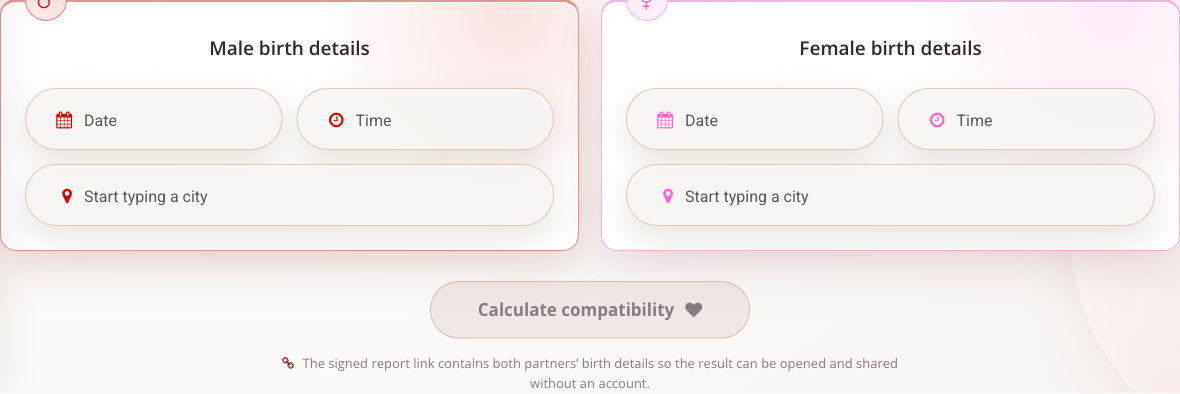
The form has separate male and female sections. In each one:
- Choose the birth date.
- Enter the local birth time, checking AM/PM where shown.
- Search for the birthplace and select the correct city and country from the results.
Check both sections, then choose Calculate compatibility. Typing a city without selecting a result leaves its location incomplete.
For practicing data entry, our standard example is 3 May 2003, 10:00 AM, Lisbon, Portugal. It represents one person's details; a meaningful pair report also needs the other person's actual details. The illustration shows an empty form, not a calculated example couple.
The public report URL contains encoded birth details for both partners so the report can be reopened without signing in. Share that URL only when you intend to share those details.
Read the report in order
Begin with Charts and verify the birth details associated with each diagram. Use the chart-reading guide if the symbols are unfamiliar.
Next, open Ashtakuta. Read the total together with the individual criteria. Each criterion has its own maximum score; a low value in one row cannot be compared directly with a raw value in another without considering that maximum.
In the personal-account report, click a criterion to expand its explanation and calculation details. Finally, review Keypoints, where the interface offers filters for Kuja Dosha, Planet interposition, and Periods. These sections add context beyond the total score.
The score summarizes a particular astrological comparison. Use the individual factors and the two charts to understand the result rather than treating the total as a decision about a relationship.
Use the personal account
The account's Compatibility module lets you select saved horoscopes or enter birth details. Verify the selected people before calculating, especially when several charts have similar names.
After calculation, Discuss the compatibility opens an assistant dialogue for the pair. Save report lets you return to it under Saved reports. There you can manage its names, public access, and whether names appear on the published report. Public access and name visibility are separate controls; hiding names does not make a published report private.
These controls belong to the account workflow. The public calculator uses its report link instead.
Correct an input mistake
Start another calculation and correct the relevant person's details. If the public tool displays a countdown, wait for it to finish. For differences between reports, compare both people's date, time, location, and the relevant calculation settings first.